
Send money to Africa via WhatsApp.
With Dikuta you can send money to Africa with just a WhatsApp conversation. You don't need to wait in line at the counter or download another iOS or Android app!
Product demo
How it Works?
No more waiting in line at the counter
You can send money via WhatsApp by chatting with our ai enabled chatbot.
Money transfers as simple as a WhatsApp conversation
Start a conversation with Dikuta on WhatsApp, indicate the amount you want to send, who you want to send to and choose the receiver's mobile wallet.
You don't need to download another iOS or Android app
Send money right from WhatsApp to your preferred mobile wallets.
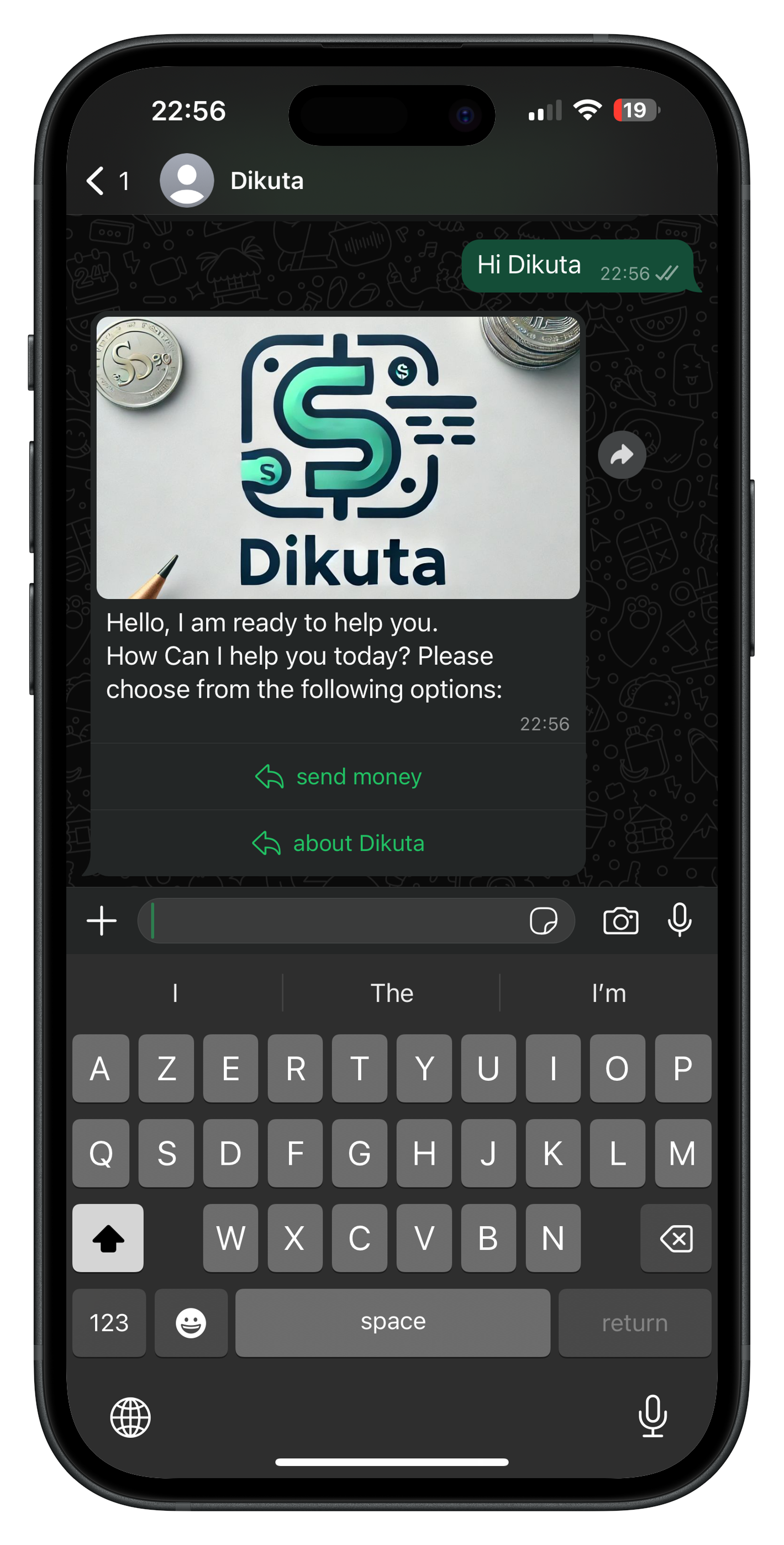
Start a chat with Dikuta via WhatsApp
You don't need to download an iOS or Android app, and it's easier to use than any other services. You only need WhatsApp.
Get startedJoin the waitlistProvide details about the transfer.
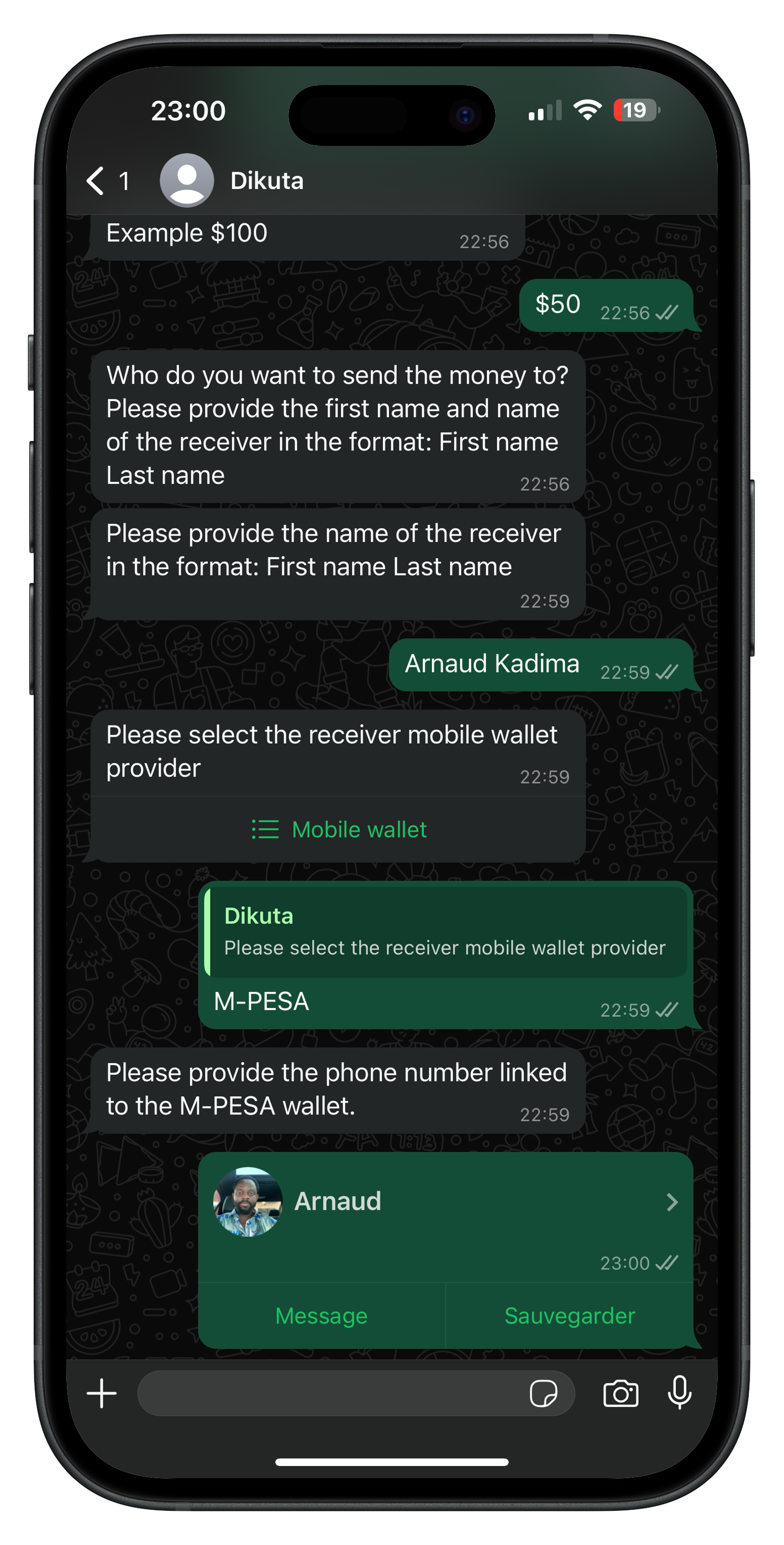
Indicate the amount you want to send, who you want to send it to, and the payment method you will use. You'll see the exchange rate and any fees before you confirm anything.
Amount.
Provide the amount you would like to send; for example $200.
Receiver's Information.
Provide the receiver's information (First and Last Names).
Mobile Wallet Provider.
Choose the receiver's mobile wallet provider (MTN Mobile Money, for example) and select the phone number.
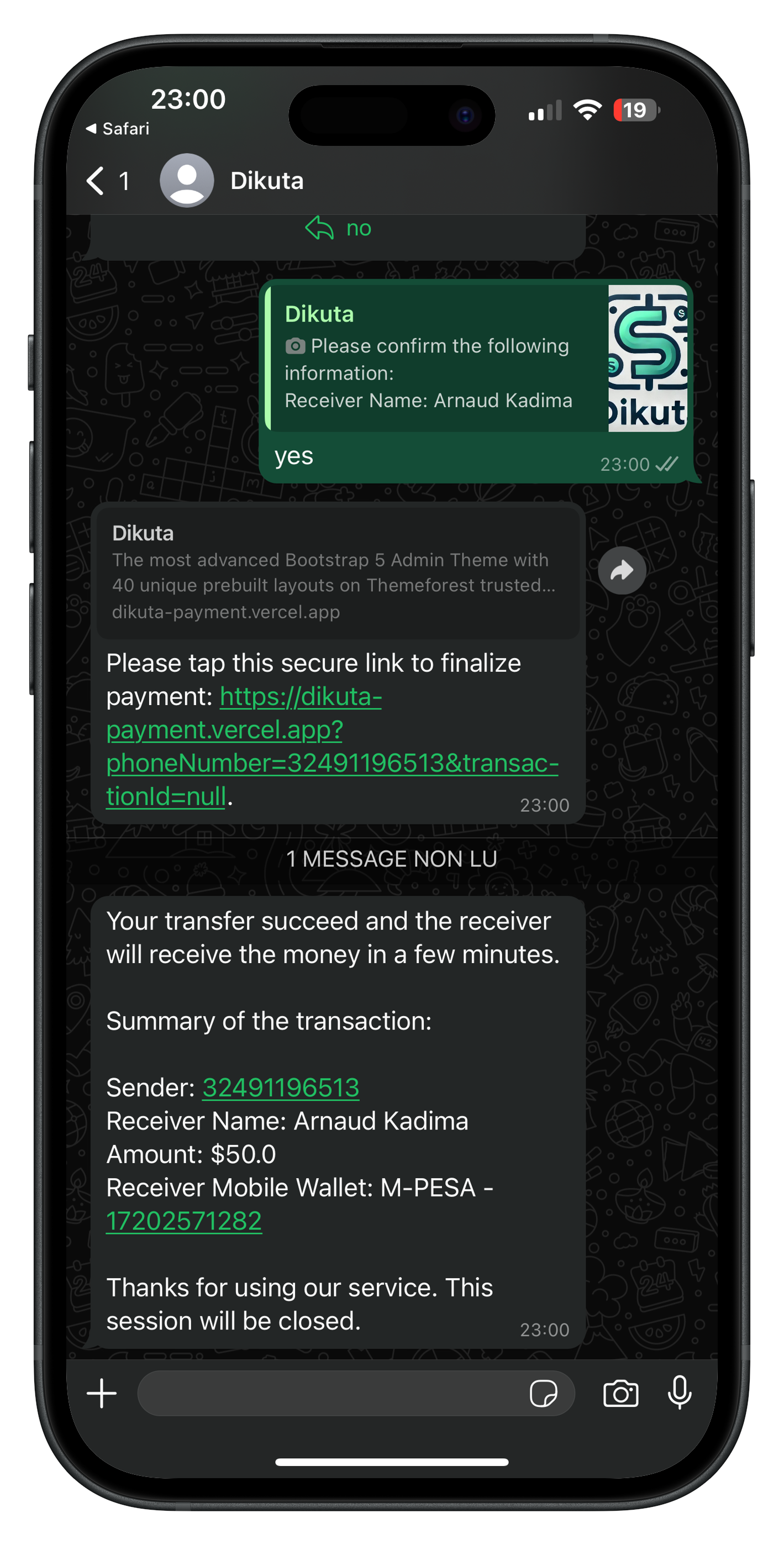
Pay, and we send the money on its way
Most transfers reach the receiver's mobile wallet within minutes. Some take longer if we need to complete verification checks or if the receiving provider is delayed.
Frequently Asked Questions
You can find the most common questions regarding our services. For any other questions, feel free to contact us.
No. Dikuta works entirely inside a WhatsApp conversation, so there is nothing extra to download and no separate account to set up. If you already have WhatsApp, you have everything you need.
Today you can send from the US to Rwanda. We are working on more corridors, and anyone on the waitlist will hear from us first when a new one opens.
In Rwanda, MTN Mobile Money and Airtel Money. You choose the receiver's wallet during the conversation.
Most transfers reach the receiver's wallet within minutes of your payment clearing. Some take longer: we may need to complete verification checks before releasing a payment, or the receiving mobile money provider may be experiencing delays.
Their first and last name, their mobile wallet provider, and the phone number attached to that wallet. We will tell you in the chat if anything does not match what the provider has on file.
Money transfer is a regulated activity. We are required to verify who is sending money and to screen transactions before they are paid out, which is why some transfers are held for a short review before they complete.
Email info@dikuta.com and we will remove you from the waitlist and delete the personal data we hold about you, except anything we are legally required to keep. See our Privacy Policy for the detail.
Let's Stay Connected
We are here to help and answer any question you might have. We look forward to hearing from you.